
Buyer’s Guide · Updated October 2026
Best POS Software in Pakistan 2026
POS software is the system a shop uses to complete a sale — scanning items, calculating the total, taking payment, and printing or emailing the receipt — while recording the transaction into inventory, customer history, and reports. Pakistani retailers use it to speed up billing at the counter, keep stock counts accurate, and replace end-of-day paper tallying with automatic reports. When comparing the best POS software in Pakistan, buyers should weigh billing speed, barcode scanning, inventory management, customer records, returns handling, employee permissions, reports and analytics, offline capability, multi-store management, integrations, security, and pricing transparency. The right point of sale system in Pakistan depends on your business size, industry, compliance needs, connectivity, inventory complexity, and budget — a single counter pharmacy and a multi-branch electronics chain need different things.
What Is POS Software?
POS software — short for point of sale software — runs the checkout. When a customer buys something, the software identifies the product (usually by scanning a barcode), applies the price and tax, takes the payment, and produces a receipt. That much a cash register does too.
What separates modern POS software from a register is what happens around the sale. A completed transaction also reduces the stock count for the item, records the payment method, updates the customer’s purchase history if they are identified at the counter, and writes the sale into reports the owner can review the same evening. In other words, the sale is recorded once, and every connected part of the business — stock, customers, finance, analytics — reads from the same record.
RetailCore is one example of this connected approach: its POS module handles billing and payments, while inventory, customers, purchasing, accounting, and AI analytics are modules of the same platform rather than separate tools.
What Makes the Best POS Software in Pakistan?
Judged as a category, the strongest POS systems share a set of practical capabilities. Use this list as your minimum bar when comparing vendors:
- Fast billing. Scan or search items in seconds, with quick keys for fast sellers and automatic tax per item.
- Barcode scanning. Works with common USB and Bluetooth scanners, reads 1D barcodes and QR codes, and finds products instantly by name too.
- Inventory management. Every sale updates stock immediately, with low-stock alerts, variants, adjustments, and cycle counts.
- Sales and invoices. Receipts print or email automatically; invoices and credit notes are generated from the same records.
- Customer management. Profiles with purchase history, loyalty points, and segmentation for repeat business.
- Returns and refunds. Look up the original sale, refund cleanly, and restore stock without manual adjustments.
- Employee permissions. Role-based access with PIN confirmation for voids, overrides, and refunds.
- Reports and analytics. Revenue, product performance, staff activity, and payment-method breakdowns, exportable.
- Offline capability. Sales continue during internet outages and sync when the connection returns — essential in areas with unstable power or connectivity.
- Multi-store management. One central catalogue, cross-location stock visibility, transfers, and consolidated reporting.
- Integrations. Accounting, e-commerce, and payments connect without manual re-entry.
- Security. Audit trails, encrypted transport, and controlled access to sensitive actions.
- Pricing transparency. Published plans and clear limits, so you can forecast cost as you grow.
POS Features Pakistani Businesses Should Compare
The table below turns that checklist into a comparison sheet. Take it to every vendor demo and score each row.
| Feature | Why It Matters | What to Look For |
|---|---|---|
| POS billing | Checkout speed decides queue length and how many customers you can serve at peak hours. | Keyboard shortcuts, quick keys for fast sellers, search by name or barcode, automatic tax per item. |
| Barcode scanning | Removes manual price entry errors and speeds up every transaction. | Support for common USB/Bluetooth scanners (HID mode), 1D barcodes and QR codes, instant product lookup. |
| Inventory management | Stock accuracy is the difference between reordering on data and reordering on memory. | Live stock deduction per sale, low-stock alerts, variants (size/colour), stock adjustments and cycle counts. |
| Purchasing | Reordering ties shelves to suppliers; slow PO creation delays restocking. | Purchase orders from reorder points, supplier records, delivery status, debit notes for returns to vendors. |
| Sales reports | You cannot improve margin on products you cannot see. | Daily revenue, product performance, staff sales, payment-method breakdown, export to CSV or PDF. |
| Customer management | Repeat customers are cheaper to serve than new ones. | Customer profiles with purchase history, loyalty points earned and redeemed at checkout, segments. |
| Returns | Returns handled on paper create stock drift and refund disputes. | Look up the original receipt by scan, customer or date; refund to the original payment method; stock returns automatically. |
| Employee permissions | The till is cash and data — access needs control. | Roles (cashier, manager, owner), PIN confirmation for sensitive actions like voids and price overrides. |
| Offline selling | Power and connectivity interruptions happen; sales should not stop. | Sales queue locally without internet and sync automatically when the connection returns. |
| Multi-store management | Branches need one set of numbers, not three spreadsheets. | Central catalogue, cross-location stock visibility, transfers, consolidated reporting per branch. |
| Payments | Customers expect cash, card and mobile options at the counter. | Cash, card, mobile wallet, bank transfer, split payments across methods in one sale, QR scan-pay. |
| Accounting/finance | Retail data that does not reach the books gets re-entered by hand. | Sales post to the ledger automatically, expense and income tracking, P&L view, double-entry journal entries. |
| AI analytics | Forecasting from your own history beats gut feel for ordering. | Demand forecasting, reorder suggestions, customer purchase insights, anomaly flags, natural-language sales Q&A. |
| Security | POS systems hold business and customer data. | Role-based access, audit trails for voids and overrides, encrypted transport, regular backups. |
Best POS Software by Business Type
“Best” depends on what you sell and how you sell it. The workflows below describe what matters most for each type of Pakistani retail business — and where RetailCore fits, there is a link to the relevant industry guide.
POS Software for Retail Stores
General retail lives or dies by billing speed and stock accuracy. Look for barcode scanning that works with your existing hardware, quick keys for high-turn items, automatic stock deduction per sale, and end-of-day reports that reconcile takings with transactions. Returns handling matters more than most buyers expect — a clean returns flow protects both stock counts and customer goodwill. See the full point of sale module for how these pieces work together.
POS Software for Grocery Stores
Groceries combine high SKU counts with high transaction volumes. Priorities: fast scanning, weight or unit handling, expiry-date awareness in inventory, low-stock alerts that match shelf levels, and checkout that keeps moving during rush hours. RetailCore has a dedicated guide for grocery and retail marts covering these workflows.
POS Software for Clothing Stores
Apparel needs variant management — the same design in multiple sizes and colours — plus price tags and barcode labels per variant, exchanges (not just refunds), and customer records that support repeat visits. Inventory visibility per variant prevents the classic problem of selling a size you no longer have. The boutique and fashion store guide walks through this workflow.
POS Software for Pharmacies
Pharmacies need precise batch and expiry tracking, fast lookup across thousands of medical SKUs, controlled permissions at the counter, and reports that show what moved and when. Verify any compliance claim directly with the vendor rather than trusting marketing pages. RetailCore’s pharmacy and medical store guide covers stock and billing workflows for medical retail.
POS Software for Electronics Stores
Electronics retail involves high ticket prices, serial or warranty tracking, slower but consultative sales, and card payments more often than cash. Look for strong customer records (so warranty and purchase history live together), split payments, and accurate margin reporting per product. See the electric and electronic shop guide.
POS Software for Restaurants and Cafes
Food service needs quick order entry, table or takeaway flows, and end-of-day reconciliation across shifts. A POS shared with inventory helps track ingredients and flag slow-moving stock. For food businesses, start with the restaurants and cafes and tuck shops guides.
POS Software for Small Businesses
Small businesses should optimise for cost and simplicity: a free or low-cost plan, no forced hardware bundle (a tablet or existing computer should be enough), offline capability, and reports simple enough to act on without training. Most importantly, pick software that still fits when you add a second counter or store — migrating later costs more than choosing well now. RetailCore’s pricing includes a free plan, and the operations solution guide shows how daily workflows connect.
RetailCore POS Software
RetailCore’s point of sale is built around the counter workflow described throughout this guide. What it does today:
- POS billing with scan-or-search product entry, quick keys, and automatic tax per item.
- Barcode scanning through standard USB/Bluetooth scanners, supporting 1D, 2D, and QR codes.
- Offline-ready sales — transactions queue locally during outages and sync when the connection returns.
- Four tender types at the counter — cash, card, bank transfer, and QR/mobile wallet, each recorded as its own payment method.
- Register sessions — open a shift on a register, sell, and reconcile the till at close.
- QR/mobile tender — wallet payments are captured as a distinct method, so end-of-day totals separate from cash instead of being merged into it.
- Automatic inventory synchronisation — every completed sale updates stock counts immediately.
- Returns and exchanges processed from the original receipt, with stock restored automatically.
- Role-based access for cashiers, managers, and owners across the dashboard modules.
- Scanner ready — standard USB and Bluetooth barcode scanners work with the register.
- Customer attached to the sale — identify the customer at the counter, and the sale lands in their purchase history where loyalty points accrue.
- Live sales view across registers and stores, with register sessions that make end-of-day reconciliation straightforward.
The full breakdown lives on the RetailCore POS features page, and you can create an account from the homepage to test the register with your own products.
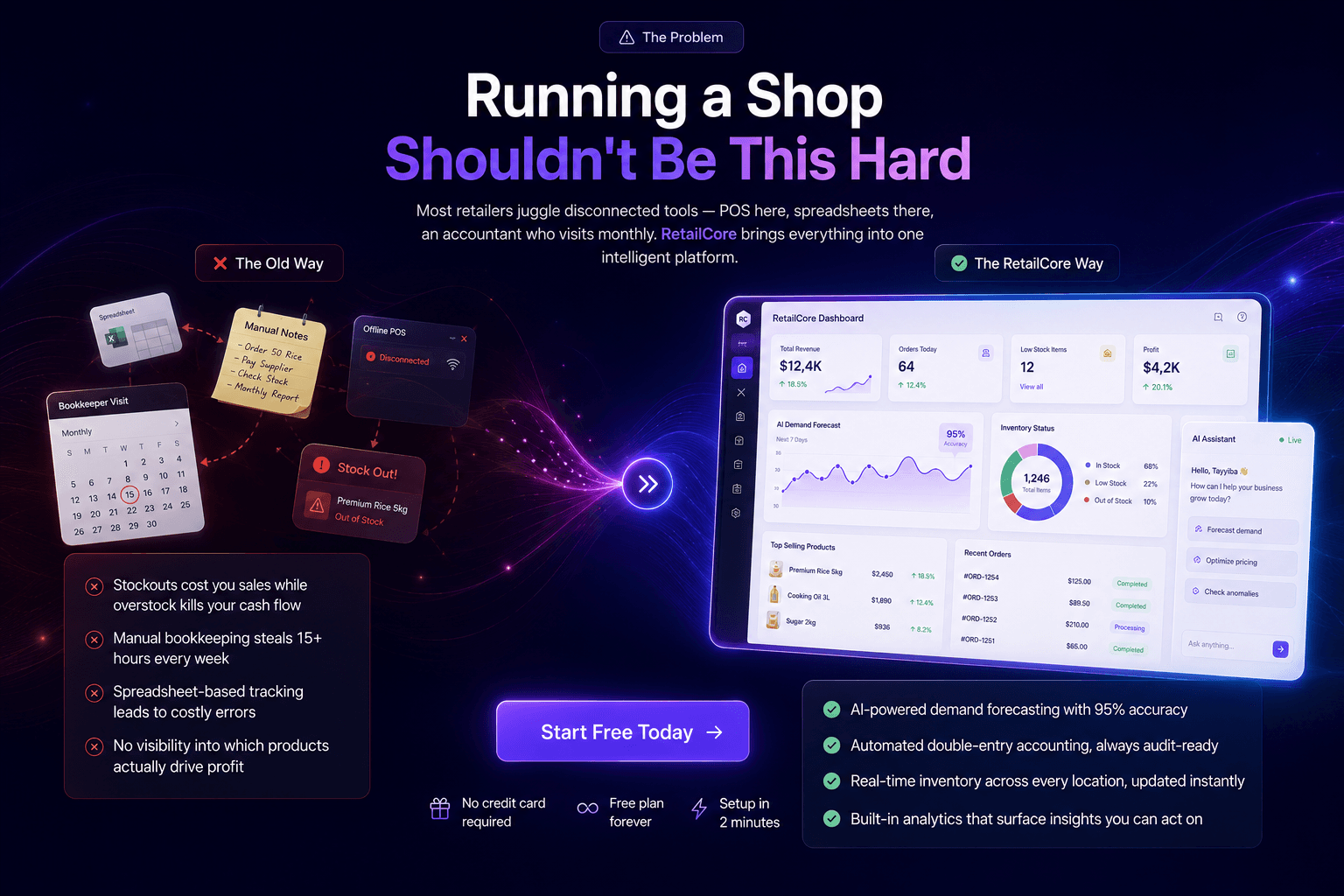
The RetailCore register: scan or search products, take cash, card, bank transfer or QR/mobile payment, and let inventory update itself.
RetailCore POS + Inventory Management
The point where POS and inventory meet is where most stock accuracy problems start — or get solved. In RetailCore the two are one system: a sale at the counter reduces the on-hand count for that item and location immediately; when stock falls below a reorder point, low-stock alerts fire and reorder suggestions are drawn from those levels, which you turn into a purchase order in one click after reviewing the suggested quantities; and returns flow back into stock automatically. Cycle counts and adjustments are recorded against the same product records, so the number on the shelf and the number on screen stay close.
For multi-store retailers, inventory is tracked per location with transfers between branches, so central management sees one set of numbers. Details and screenshots are on the inventory management page.
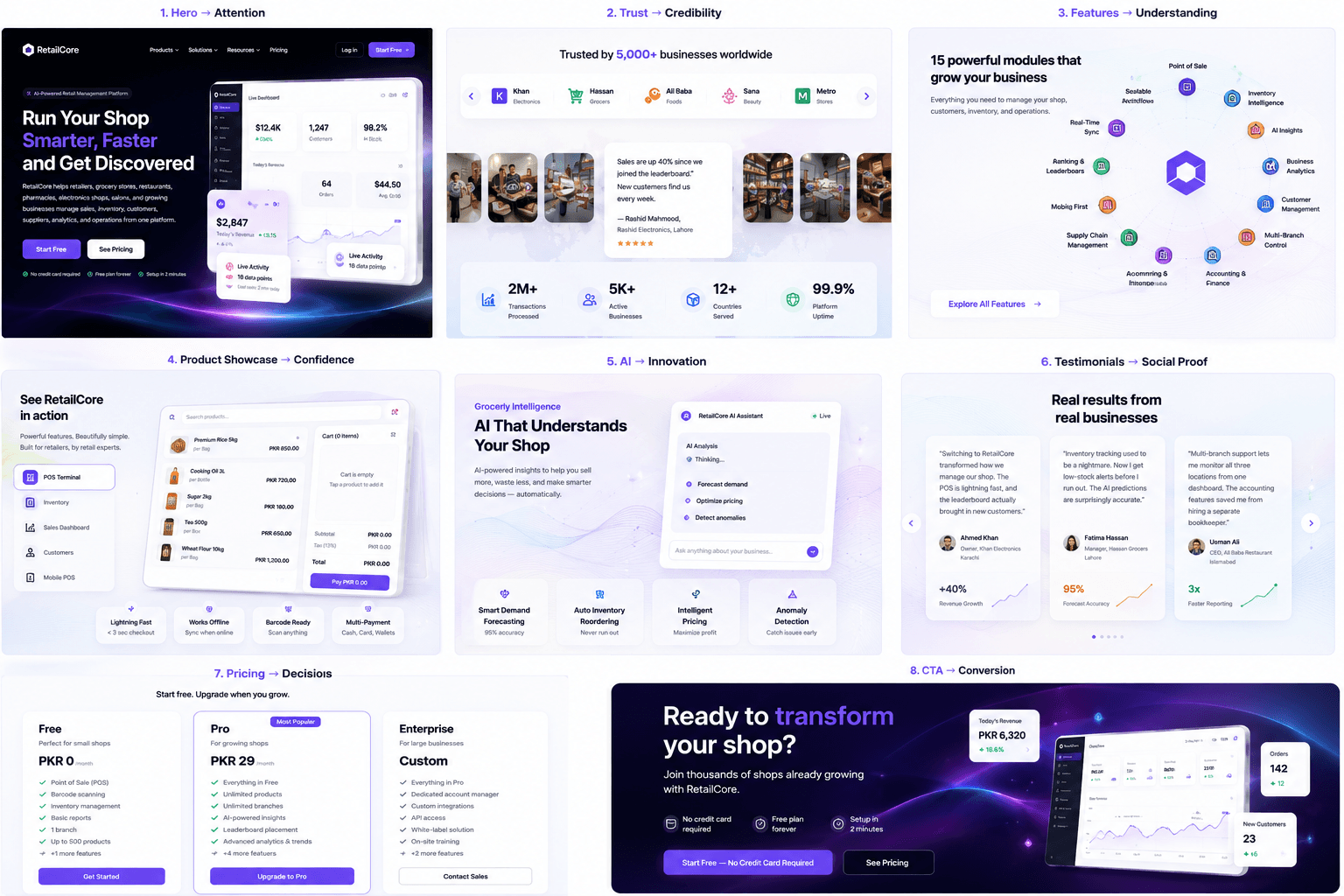
Stock visibility across locations: on-hand counts, reorder levels, and transfers in one view.
RetailCore POS + CRM
When a customer is identified at checkout — by phone number, loyalty card, or QR code — the sale writes to their profile automatically. Over time that profile becomes a purchase history: what they buy, how often, and what they spend. RetailCore’s customer module builds these profiles from POS transactions, supports loyalty points earned and redeemed at the counter, and lets you segment customers by spending, frequency, or recency for targeted campaigns. That same data feeds the AI customer-purchase insights described below. See the customer management and CRM pages for the full feature set.
RetailCore AI-Powered Retail Intelligence
RetailCore includes AI features that work from your own business data — sales history, stock movements, and customer records:
- Demand forecasting — predicts what will sell based on historical sales, seasonality, and local trends, so you can prep stock ahead of demand.
- Inventory and reorder insights — flags items below their reorder point, suggests a quantity from recent sales, and creates the purchase order when you confirm it.
- Customer purchase insights — buying patterns, preferred categories, and visit frequency drawn from real transactions.
- Anomaly detection — alerts for unusual patterns such as sudden stock drops or irregular transactions.
- Sales Q&A — ask questions like “what was our best-selling item last week?” in natural language and get answers from your data.
Forecast quality improves as your sales history accumulates, and forecasts are presented as guidance for review rather than automatic decisions. More detail is on the AI features page and in the analytics module.
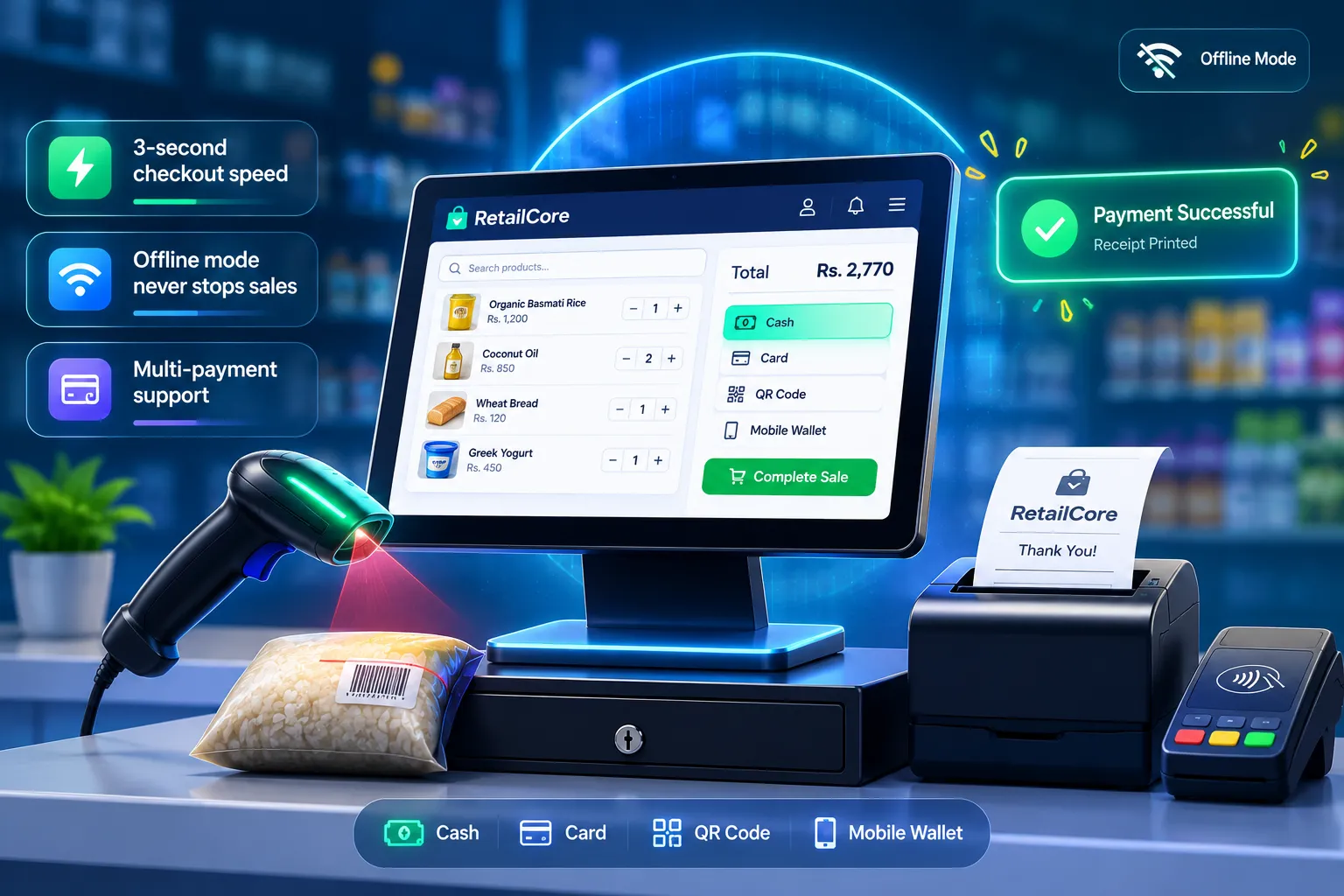
Business analytics built from your own sales, stock, and customer data.
How to Choose POS Software in Pakistan
Work through this checklist in order. It takes an afternoon and prevents the most common buying mistakes.
- Define your business type. Grocery, clothing, pharmacy, electronics, food service — each changes which features matter most.
- Count registers and stores. One counter today, three branches next year? Choose software priced and built for that path.
- Check inventory requirements. Variants, units, expiry tracking, serial numbers — list what your stock actually needs.
- Check offline requirements. If your power or connection is unreliable, offline selling is a requirement, not a bonus. Test it in the demo.
- Check payment requirements. Confirm cash, card, wallet, and split payments match what your customers actually use.
- Check reporting. Ask to see the real report screens, not screenshots — revenue by day, product, staff, and payment method.
- Check employee permissions. Roles, PIN protection, and audit trails for voids and overrides.
- Check integrations. List your accounting and e-commerce tools and confirm each connection exists.
- Check pricing. Compare total cost — plans, hardware, payment fees, support — and read the plan limits, not just the headline price.
- Test before committing. Run a trial with your own products and your own barcode scanner. A demo with the vendor’s sample data hides real problems.
Evaluate with real products
Score RetailCore against the same checklist
The free plan includes the point of sale, inventory, and reports for a single branch, with no credit card — so you can run the same test you would run with any other vendor.
POS Software Comparison Checklist
Rather than ranking vendors — claims differ per shop and per year — use this table to evaluate any candidate, including RetailCore. Every row is a question to put to the vendor directly.
| Criterion | What to Verify from Each Vendor |
|---|---|
| Billing speed | Ask for a live demo: scan five items, apply a discount, and take a split payment. Time it. |
| Offline capability | Ask specifically: does the register keep selling with no internet, and how do queued sales sync? Get it in writing. |
| Inventory model | Check whether stock updates per sale, per location, and whether variants and units are supported. |
| Barcode support | Test your own scanner brand against their demo. Confirm 1D and QR support. |
| Returns flow | Process a return in the demo: does it restore stock and reverse the payment cleanly? |
| Reports | Ask to see the actual report screens — revenue by day, product, staff, and payment method. |
| Permissions | Confirm roles and PIN-protected actions (voids, overrides, refunds) before you buy. |
| Multi-store | If you run branches, check central catalogue management, stock transfers, and per-branch reports. |
| Integrations | List the tools you already use (accounting, e-commerce) and confirm each connection exists. |
| Hardware | Confirm support for your printers, drawers, and scanners — or the vendor's bundled hardware list. |
| Data ownership | Ask how to export your products, sales, and customer data if you leave. Prefer CSV export. |
| Support | Ask about support hours and channels (chat, email, phone), and how updates are delivered. |
How Much Does POS Software Cost in Pakistan?
There is no fixed market price — POS software cost depends on the number of stores, users and registers, inventory complexity, integrations, support level, and advanced features like AI forecasting. Entry plans for small shops are typically free or low-cost per month; multi-store setups with advanced modules cost more. The honest comparison is total cost of ownership: plan price, hardware, payment processing fees, and support together.
RetailCore publishes its current plans — including a free tier and a Pro plan — on its pricing page. Review the live page rather than relying on any third-party summary, and confirm plan limits against your register and product counts.
What changes the price
Two shops can be quoted very differently for the same software. These are the factors that move a plan price in Pakistan — ask each vendor how they count them:
| Cost factor | Why the amount moves |
|---|---|
| Number of registers | Most plans are priced per counter, so three tills usually cost more than one. |
| Number of stores | Branch limits are the most common difference between entry and mid-tier plans. |
| Modules included | POS alone, or POS with inventory, purchasing, accounting, and analytics — the bundle changes the figure. |
| Users and roles | How many logins and permission levels you need for cashiers, managers, and owners. |
| Support level and hours | Priority support, staffed phone hours, and onboarding help are usually a paid difference. |
| Billing period | Annual billing is often quoted at a lower effective monthly rate than paying month to month. |
| Hardware | Scanners, printers, drawers, and the counter machine may be bundled, sold separately, or bring-your-own. |
| Payment processing | Card and wallet processing charges are normally separate from the software plan. |
| Data import and setup | A large product catalogue and a multi-branch rollout take longer to set up than a single counter. |
POS Software in Pakistan: Local Factors Buyers Should Check
Global POS comparison guides are written for markets where power and internet are reliable and card payments dominate. Pakistani retail works differently, so add these factors to your evaluation:
- Offline selling is a requirement, not a bonus. Load shedding and connection interruptions are routine, so confirm the register keeps taking sales with no internet, and ask how queued sales sync afterwards.
- Cash and mobile wallets carry most counter payments. Many customers pay in cash or through wallets such as JazzCash and Easypaisa. Ask each vendor how those payments are recorded at the till — whether they are logged as their own payment method and whether they appear in payment-method reports. Confirm it in the demo rather than assuming support.
- Pricing is quoted in PKR and moves with registers, not just users. Ask what each plan covers per counter and per store, and whether annual billing differs from monthly.
- Tax handling must be configurable. Rates and invoice requirements can change, so confirm you can set tax rates yourself instead of waiting on vendor support.
- Support hours and language matter. Ask which hours support is staffed, whether you can reach a person by phone, and how updates are delivered.
- Hardware should be locally available. Confirm your printer, scanner, and cash drawer models are supported — or that replacements can be sourced locally when something fails.
- Data export keeps you in control. Before committing, confirm you can export products, sales, and customer data as CSV.
Is RetailCore Right for Your Business?
RetailCore is built for businesses that want their sales, inventory, customers, and analytics connected in one system — from a single counter using the free plan to multi-store retailers running consolidated stock and branch reporting. If your priority is billing speed with accurate stock, offline resilience, loyalty at checkout, and forecasting from your own data, the platform fits that brief.
It is also fair to say when something else may suit better. If you only need a calculator-and-drawer setup for a handful of cash sales a day, a basic register does that job. If you need industry-specific capabilities we do not provide — such as restaurant kitchen tickets or marketplace integrations — or deep customisation of a specific workflow, a specialist vendor for that niche may serve you better. Evaluate with the checklist above and choose on fit, not on claims.
Frequently Asked Questions
What is the best POS software in Pakistan?
There is no single answer for every shop. The best POS software is the one that matches your business type, inventory complexity, connectivity conditions, and budget. Compare billing speed, offline capability, inventory management, reporting, permissions, and multi-store support — then trial the shortlist with your own products before committing.
What should I look for in POS software in Pakistan?
Start with the essentials: fast billing, barcode scanning, automatic inventory updates, sales reports, customer records, returns handling, and employee permissions. In Pakistan specifically, also test offline selling — power and internet interruptions are a real operational risk — and confirm the vendor's support hours and data export options.
Which POS software is best for a small business?
For a small business, prioritise a low starting cost, a short learning curve, and offline capability. Look for a free or entry-level plan that still includes inventory tracking and reports, so you do not have to migrate systems when you grow. RetailCore, for example, offers a free plan with POS, inventory, and customers in one system.
Does POS software manage inventory?
A complete POS does: every completed sale reduces the on-hand quantity, low-stock alerts fire at your reorder points, and reorder suggestions from those levels can be turned into purchase orders after a review. If a vendor's POS does not deduct stock per sale, inventory has to be tracked in a separate tool — which is a real operational cost to consider.
Can POS software work without internet?
It depends entirely on the product, so test it. Systems with offline mode keep scanning and selling locally, queue the transactions, and sync them when the connection returns. Ask each vendor to demonstrate offline billing in their demo, and confirm whether returns and reports also work offline or only sync one way.
What is the difference between POS and inventory software?
POS software completes the sale — scanning, pricing, payment, and the receipt. Inventory software tracks what you own — quantities, locations, purchases, and adjustments. Combined systems like RetailCore feed the sale record directly into the stock record, so the count updates at the moment of purchase instead of through a second entry.
How much does POS software cost in Pakistan?
Pricing varies by number of stores, registers, inventory complexity, integrations, support level, and advanced features. RetailCore's current plans are published on its pricing page, including a free tier. Always compare total cost — including hardware, card-processing fees, and support — not just the monthly plan price.
How do I choose a POS system for my retail store?
Define your business type and size first, then list must-have features (offline, barcode, variants, multi-store). Shortlist three vendors, run each trial with your real products and real barcode scanners, check the reporting screens, and confirm data export before you sign. See the full checklist in this guide for the detailed steps.
What features should a retail POS system have?
At minimum: barcode scanning, fast billing with quick keys, automatic inventory updates, multi-payment support (cash, card, wallet, split), returns processing, employee roles and PIN protection, sales reporting, and customer records. Growing retailers should add offline mode, multi-store management, purchasing, and accounting integration.
How much does POS software cost in Pakistan in PKR?
Local plans are quoted in PKR, usually per register or per store per month, and the total depends on how many registers you run, which modules you include, and the support level you need. Because those amounts change, compare live pricing pages rather than third-party summaries, and add hardware, payment processing, and support to the monthly figure before deciding.
Does POS software support JazzCash and Easypaisa payments?
That depends on the vendor, so treat it as a question for the demo rather than a feature to assume. For any mobile wallet payment, confirm the POS records it as its own payment method, includes it in payment-method reports, and handles refunds back to the same method. If the wallet does not appear correctly in the end-of-day report, those amounts have to be reconciled by hand.
Can POS software work during load shedding in Pakistan?
Yes, if the register supports offline selling and the hardware holds power. Sales are completed and queued locally, then sync automatically once power and internet return. Two things make it dependable: a register that keeps its queue through a full power loss, and a UPS or backup connection at the counter. Test both on a quiet afternoon before you rely on them during a busy evening.
Is RetailCore suitable for retail businesses?
RetailCore is built for retail: POS billing with barcode scanning, offline-ready sales, multi-payment and split payments, automatic inventory synchronisation, returns, role permissions, customer and loyalty records, purchasing, accounting, and AI-assisted forecasting. It fits best for shops that want sales, stock, customers, and analytics connected in one system — see the fit assessment section above for when another type of solution may suit better.
Try RetailCore on your own products
Set up the register, scan your own barcodes, and watch inventory update — on the free plan, with no hardware required.